Media Player
A native macOS video and audio player, built because QuickTime wasn't cutting it
QuickTime can't open MKV files, has no playlist, and hides subtitle and track options. I wanted a player that felt like YouTube's: a full-width scrubber with hover previews, one-click captions, a settings gear for tracks, chapters and speed, and a playlist beside the video.
It's a native SwiftUI app with two playback engines. Apple's AVFoundation handles the formats macOS supports, and libmpv takes over for everything it can't open, like MKV, WebM and AVI. The controls work the same whichever engine is playing.
In Action
The current version, playing demo videos generated with ffmpeg.
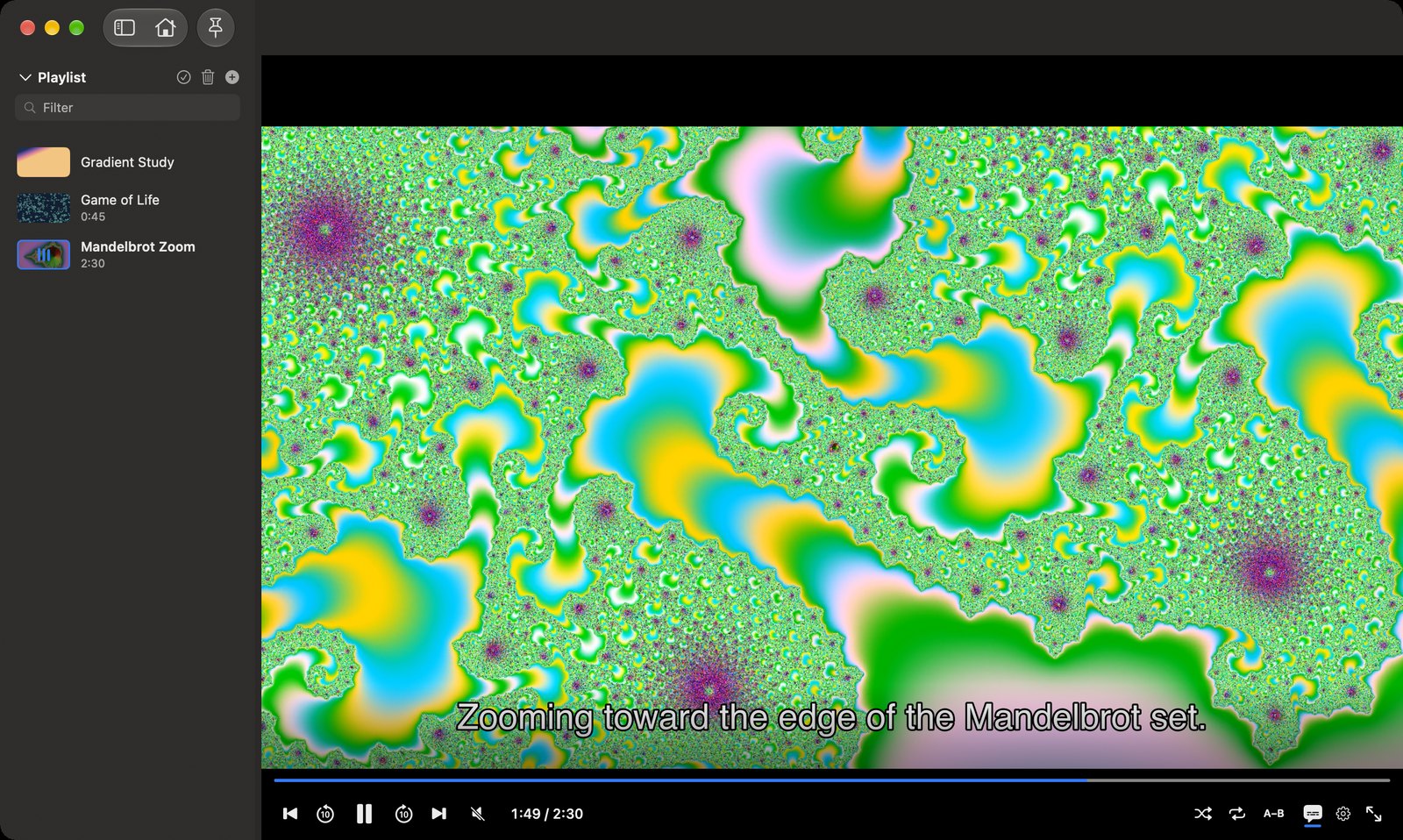
An MKV file with chapters and an embedded subtitle track, playing through libmpv. The playlist sidebar shows a thumbnail and a live now-playing indicator.
- —The scrubber previews a thumbnail on hover. For formats AVFoundation can't read, a second, hidden mpv instance takes the frame, fast enough to keep up with the pointer
- —Subtitles move up while the controls are showing, so the bar never covers them
- —The gear holds subtitles, audio tracks, chapters, playback speed, and video and subtitle adjustments
Under the Hood
~8.2k
lines of Swift
2
playback engines
27
file formats
0
stock player controls
Features
- —Chapters, audio and subtitle track selection, external subtitle files, subtitle delay, size, font and colors, and a text-encoding picker for legacy subtitle files
- —On-device subtitle translation with Apple's Translation framework, for either engine
- —Resume where you left off, per file, plus a home screen with Continue Watching
- —Saved playlists with M3U import and export, shuffle and repeat, A–B looping, frame stepping, and snapshots
- —Now Playing and AirPlay integration, trackpad gestures, and remappable keyboard shortcuts
How it works
- —Both engines sit behind one PlaybackEngine protocol. The file extension picks the engine, and each engine declares its capabilities, so the UI hides a control rather than offering one that silently does nothing
- —mpv calls back from its own threads. Those callbacks forward everything to the main actor before touching any UI state
- —UI calls into mpv use its asynchronous API, and the track and chapter lists are observed and cached, so a busy mpv core can't freeze the app
- —Playback time ticks about ten times a second, so it lives on its own small object. Only the views that display time redraw on each tick
Bugs worth remembering
Subtitles that never arrived
For translation, AVFoundation reports each subtitle line through a delegate method. It's an optional protocol method on a private class, and Swift doesn't expose those to Objective-C automatically, so AVFoundation never found it. Nothing crashed or logged an error; the translated line just stayed empty. The fix was one @objc attribute.
Menus that flickered while anything played
The current playback time was published on the main view model, so ten times a second every view that observed it redrew, including the menu bar commands. Open menus flickered and dropped clicks for as long as a video was playing. Moving the clock onto its own object, observed only by the time readout and scrubber, fixed it.
A freeze caused by a permission prompt
By default mpv looks for subtitle and cover-art files next to the video. In the App Sandbox, listing a folder in Documents made macOS ask for access, and mpv's core thread sat waiting on the answer. The next call into mpv froze the app. The fix was turning off mpv's folder scanning and loading subtitle files explicitly.
Audio-only playback, for good
mpv loads files asynchronously. If a file started before the video view had created its render context, mpv decided there was no video output and never turned video back on, so the file played as audio only. Loads now wait for the render context, and seeks and subtitle loads are queued until mpv reports the file has loaded.